3 posts tagged with "mac os"

View All Tags

My window management on Mac OS

· 2 min read
Ashish Kapoor
Software Engineer

So, I have been playing Fortnite a lot with my friends from time to time. One great thing I noticed in the game was the ability to switch weapons using the numbers on the keyboard right above the `w` `a` `s` `d` keys.

It becomes super simple to switch between weapons while playing the game instead of switching with the mouse wheel option which is linear in nature and eventually leads to a confused state.

So I took inspiration from i3 Windows management from our friends in Linux and at my work laptop which is on Mac OS.

I installed Amethyst (sounds like Aim Assist to me lol) to bring all the windows on a desktop in an order (tall, column, wide, etc).

Then I made use of Mission Control given to us by the lords of Apple themselves. Went into the keyboard settings and hooked these shortcuts up for easy switching. While disabling the recently used App switching mechanism by Apple to take manual control altogether.

Then I started assigning the app windows to certain Desktop numbers using the following settings -> “This Desktop”:

Awesome! No more alt + tab fiddling experience.

I press ctrl + 1, I always get my VS Code editor.

I press ctrl + 2, it always gives me my terminal.

I press ctrl + 3, it always gives me the browser of my choice.

So on and so forth, I hope you get the point.

Full disclosure here are my current Desktops

  1. Code Editors
  2. Terminals
  3. Browsers
  4. Communication Apps
  5. Music streaming services
  6. Settings, Configs
  7. Books, Notes
  8. Discord
  9. Movies, Media

Thanks for reading, cheers!
My Productivity Apps

· 3 min read
Ashish Kapoor
Software Engineer

General Mode

  1. https://www.spotify.com/us/download/mac/

Play millions of songs and podcasts on your device.

2. https://rectangleapp.com

Move and resize windows in macOS using keyboard shortcuts or snap areas

3. https://apps.apple.com/in/app/pomodoro-me-focus-on-tasks/id1484801884?mt=12

Pomodoro.me — Stay Focused. Take a Break.

4. https://evernote.com/download

Evernote gives you everything you need to keep life organized — great note-taking, project planning, and easy ways to find what you need when you need it.

5. https://www.keka.io/en/

the macOS file archiver Store more, share with privacy

6. https://www.cockos.com/licecap/

simple animated screen captures

7. https://iina.io

The modern media player for macOS.

8. https://bitwarden.com/

Move fast and securely with the password manager trusted by millions

Developer Mode

  1. https://brew.sh/

The Missing Package Manager for macOS (or Linux)

2. https://code.visualstudio.com/

Visual Studio Code is a lightweight but powerful source code editor

VSCode Theme

2.1 https://marketplace.visualstudio.com/items?itemName=pmndrs.pmndrs

3. https://desktop.github.com/

Focus on what matters instead of fighting with Git. Whether you’re new to Git or a seasoned user, GitHub Desktop simplifies your development workflow.

4. https://www.nerdfonts.com/

Nerd Fonts patches developer-targeted fonts with many glyphs (icons).

Hack Nerd Font

Fire Code

Fira Code Mono

5. https://www.wireguard.com/

WireGuard aims to be as easy to configure and deploy as SSH

6. https://ohmyz.sh/#install

Oh My Zsh is installed by running one of the following commands in your terminal.

Plugins: https://travis.media/top-10-oh-my-zsh-plugins-for-productive-developers/#20210719-zsh-auto

7. https://mosh.org/#getting

A remote terminal application allows roaming, supports intermittent connectivity, and provides intelligent local echo and line editing of user keystrokes.

8. https://dbeaver.io/download/

Free multi-platform database tool for developers, database administrators, analysts and all people who need to work with databases.

9. https://www.docker.com/products/docker-desktop/

The fastest way to containerize applications

10. https://selfcontrolapp.com/

A free Mac application to help you avoid distracting websites.

v0.1

· 2 min read
Ashish Kapoor
Software Engineer

Change log:

  • Temptation of having a workstation of my own is dying. (side-effects of minimalism I guess). Given two of my full HD monitor screens to family members kept one for the sake of it. Probably get a 4K monitor display by the end of this year.
  • Moved completely from Chrome to Firefox Developer Edition. (installed react and redux dev tools and I’m happy with it).
  • Putting Siri at work even more than ever before, wish the new “read today’s news” thingy was available in India. Still confused about AirPods meh!
  • Not sure but my next phone will be an android with dash charge feature if Apple doesn’t provide it in iPhones by the end of this year. Also, OnePlus 5T is super compatible with my MacBook Pro 2017. #BadApple
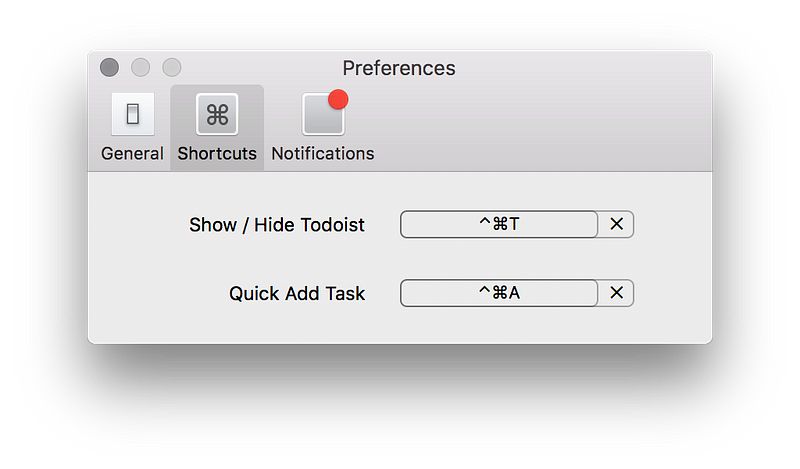
  • Still love using notepad and pen for slowing down(get clarity) my thought process. Using Todoist for work, nice one I must admit specially their shortcut keys. Totally worth going premium with this one.

  • Started meditating with Calm (deleted), _HeadSpace(_deleted) and finally settled with Oak App.

  • Got bored of home gym exercises. Found nice resource for understanding Yoga. Read first part of Inner Engineering. Feels luxurious tbh.

Thanks for reading. :)